290
snapshot2020
Snap!shot 2020
2020-12-12
2020-12-12
1
00:05
2020-12-12T01:00:00-08:00
09:00
00:10
Snap!Shot Zoom Room
Welcome
213-welcome
Welcome
# Welcome to Snap!shot 2020! 👋
**Join us in Zoom for the main sessions.** When you're logged into snapcon.org there will be a link at the top of the page that says "Join Live Event". Click on that to join us. You may join anonymously or via the browser if you'd like. However, for the best experience we recommend you download the Zoom app from [zoom.us](https://zoom.us/download#client_4meeting). Versions 5.3 and later are recommended.
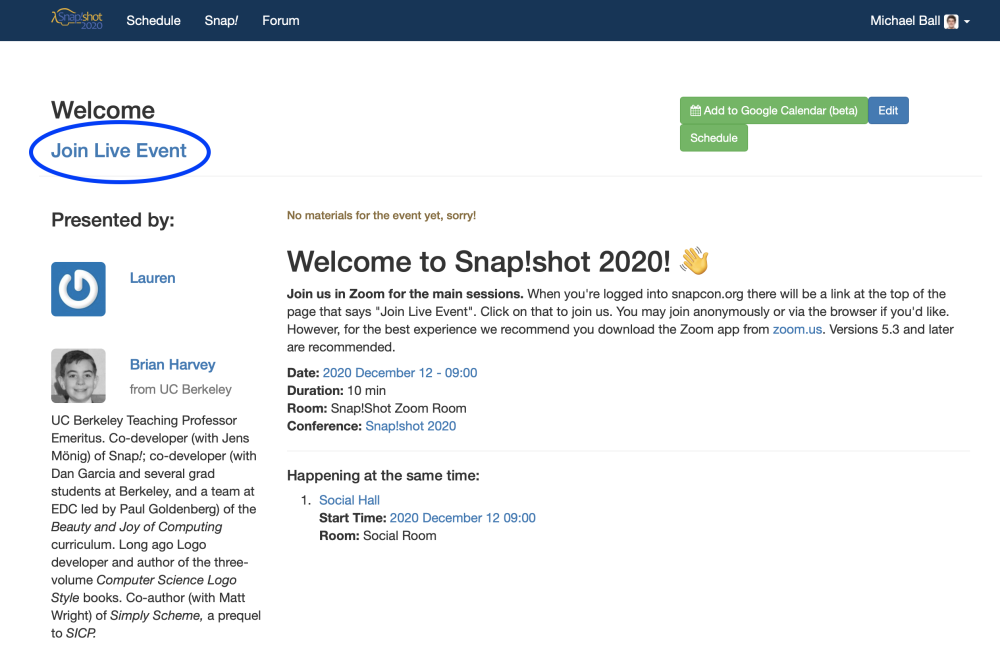
# Welcome to Snap!shot 2020! 👋
**Join us in Zoom for the main sessions.** When you're logged into snapcon.org there will be a link at the top of the page that says "Join Live Event". Click on that to join us. You may join anonymously or via the browser if you'd like. However, for the best experience we recommend you download the Zoom app from [zoom.us](https://zoom.us/download#client_4meeting). Versions 5.3 and later are recommended.

false
Lauren
Brian Harvey
Michael Ball
Dan Garcia
2020-12-12T01:10:00-08:00
09:10
00:30
Snap!Shot Zoom Room
Keynote
212-inventing-together
Inventing Together
with members of the Snap! Team
_Join the conversation for this session on the Snap! Forum - https://forum.snap.berkeley.edu/t/keynote-keynote/4820_
Presented by Jadga Huegle, Jens Mönig, and Bernat Romagosa.
_Join the conversation for this session on the Snap! Forum - https://forum.snap.berkeley.edu/t/keynote-keynote/4820_
Presented by Jadga Huegle, Jens Mönig, and Bernat Romagosa.
false
Jadga Hügle
Jens Mönig
Bernat Romagosa
2020-12-12T01:40:00-08:00
09:40
00:10
Snap!Shot Zoom Room
Inter-Rest Break
214-inter-rest-break
Inter-Rest Break
Break time! Get up and stretch or grab some food.
We encourage everyone to join us in the Social Room if they'd like!
Break time! Get up and stretch or grab some food.
We encourage everyone to join us in the Social Room if they'd like!
false
2020-12-12T01:50:00-08:00
09:50
00:05
Snap!Shot Zoom Room
Lightning Talks
221-round-1-lightning-talks
Round 1 Lightning Talks
Lightning talks from our first round of 6 speakers!
## Round 1 Sessions:
- Math with Snap!: Some Examples from a Related Math Library - Eckart Modrow
- Create An(y) Embroidery Design in 5 Minutes - Jadga Huegle
- Differentiable Snap! - Kartik Chandra
- Translating BJC into Dutch - Ramon Moorlag
- A Pie Chart Generator - Peter Franko
- How to Make An Eightball (Fortuneteller) With Written Extra Answers - David Muehlbacher
Lightning talks from our first round of 6 speakers!
## Round 1 Sessions:
- Math with Snap!: Some Examples from a Related Math Library - Eckart Modrow
- Create An(y) Embroidery Design in 5 Minutes - Jadga Huegle
- Differentiable Snap! - Kartik Chandra
- Translating BJC into Dutch - Ramon Moorlag
- A Pie Chart Generator - Peter Franko
- How to Make An Eightball (Fortuneteller) With Written Extra Answers - David Muehlbacher
false
2020-12-12T01:55:00-08:00
09:55
00:05
Snap!Shot Zoom Room
Lightning Talks
194-math-with-snap-some-examples-from-a-related-math-library
Math with Snap!: Some Examples from a Related Math Library
_Join the conversation for this session on the Snap! Forum - https://forum.snap.berkeley.edu/t/lightning-talks-math-with-snap-some-examples-from-a-related-math-library/4826_
Many students, especially when they study subjects that are not related to mathematics, have problems understanding how mathematics works. Therefore, I am planning a mathematics lecture especially for teacher students of computer science, which should on the one hand enable students to read and understand mathematical literature and on the other hand teach the use of mathematical methods in the field of computer science. As a tool Snap! and some libraries in the form of sprites will be used, both to illustrate mathematical relationships and to develop problem solutions using mathematical methods. The blocks developed for this purpose come from the fields of sets, linear algebra, graph theory and statistics. In the talk some examples will be shown directly in Snap!
_Join the conversation for this session on the Snap! Forum - https://forum.snap.berkeley.edu/t/lightning-talks-math-with-snap-some-examples-from-a-related-math-library/4826_
Many students, especially when they study subjects that are not related to mathematics, have problems understanding how mathematics works. Therefore, I am planning a mathematics lecture especially for teacher students of computer science, which should on the one hand enable students to read and understand mathematical literature and on the other hand teach the use of mathematical methods in the field of computer science. As a tool Snap! and some libraries in the form of sprites will be used, both to illustrate mathematical relationships and to develop problem solutions using mathematical methods. The blocks developed for this purpose come from the fields of sets, linear algebra, graph theory and statistics. In the talk some examples will be shown directly in Snap!
false
Eckart Modrow
2020-12-12T02:00:00-08:00
10:00
00:05
Snap!Shot Zoom Room
Lightning Talks
161-create-an-y-embroidery-design-in-5-minutes
Create An(y) Embroidery Design in 5 Minutes
Combining Snap! and Turtlestitch
_Join the conversation for this session on the Snap! Forum - https://forum.snap.berkeley.edu/t/lightning-talks-create-an-y-embroidery-design-in-5-minutes/4821_
This talk is about creating embroidery designs by combining Snap!'s list feature with the embroidering capabilities of Turtlestitch.
An image can be imported into Snap! and its contours can be redrawn with another sprite. The coordinates of the drawing are logged in a list. These Coordinates can then be exported from Snap! and imported into Turtlestitch to create an embroidery design: https://www.turtlestitch.org/users/jadga/projects/Projadga
_Join the conversation for this session on the Snap! Forum - https://forum.snap.berkeley.edu/t/lightning-talks-create-an-y-embroidery-design-in-5-minutes/4821_
This talk is about creating embroidery designs by combining Snap!'s list feature with the embroidering capabilities of Turtlestitch.
An image can be imported into Snap! and its contours can be redrawn with another sprite. The coordinates of the drawing are logged in a list. These Coordinates can then be exported from Snap! and imported into Turtlestitch to create an embroidery design: https://www.turtlestitch.org/users/jadga/projects/Projadga
false
Jadga Hügle
2020-12-12T02:05:00-08:00
10:05
00:05
Snap!Shot Zoom Room
Lightning Talks
209-differentiable-snap
Differentiable Snap!
_Join the conversation for this session on the Snap! Forum - https://forum.snap.berkeley.edu/t/lightning-talks-differentiable-snap/4823_
What happens if we combine the lambda calculus with… regular calculus? We get a new superpower: the ability to take derivatives of Snap! programs. And what could we do with that? The possibilities are endless: automatic differentiation enables project that help teach physics, graphics, statistics, and more. In this talk I will motivate Differentiable Snap! with a small demo, and then suggest a possible (and elegant!) implementation.
_Join the conversation for this session on the Snap! Forum - https://forum.snap.berkeley.edu/t/lightning-talks-differentiable-snap/4823_
What happens if we combine the lambda calculus with… regular calculus? We get a new superpower: the ability to take derivatives of Snap! programs. And what could we do with that? The possibilities are endless: automatic differentiation enables project that help teach physics, graphics, statistics, and more. In this talk I will motivate Differentiable Snap! with a small demo, and then suggest a possible (and elegant!) implementation.
false
Kartik Chandra
2020-12-12T02:10:00-08:00
10:10
00:05
Snap!Shot Zoom Room
Lightning Talks
210-translating-bjc-into-dutch
Translating BJC into Dutch
_Join the conversation for this session on the Snap! Forum - https://forum.snap.berkeley.edu/t/lightning-talks-translating-bjc-into-dutch/4822_
With the translation of BJC in the Dutch language and context, we learned a lot.
I think this story can add value to the Snap! Shot on 12-12. I can share the story and help others with their translation efforts. And having a lot of fun in the process.
Items to be discussed;
- how to form a group
- how to keep going
- how to get others involved (spoiler alert it involved pizzas and cola)
- how to find 'new' teachers and students to use the Dutch version.
_Join the conversation for this session on the Snap! Forum - https://forum.snap.berkeley.edu/t/lightning-talks-translating-bjc-into-dutch/4822_
With the translation of BJC in the Dutch language and context, we learned a lot.
I think this story can add value to the Snap! Shot on 12-12. I can share the story and help others with their translation efforts. And having a lot of fun in the process.
Items to be discussed;
- how to form a group
- how to keep going
- how to get others involved (spoiler alert it involved pizzas and cola)
- how to find 'new' teachers and students to use the Dutch version.
false
Ramon Moorlag
2020-12-12T02:15:00-08:00
10:15
00:05
Snap!Shot Zoom Room
Lightning Talks
202-a-pie-chart-generator
A Pie Chart Generator
_Join the conversation for this session on the Snap! Forum - https://forum.snap.berkeley.edu/t/lightning-talks-a-pie-chart-generator/4819_
**This is a generator made in Snap! that allows you to create a pie chart using the pen.**. It is used by first creating a circle for the outline, and then a sprite talks you through the steps of what you need to do in order for you to generate your pie chart. You **must not** just press enter or it will glitch out. Sometimes, when the segments in your pie chart are quite small, they either might not be filled in completely with colour or, if the segment is **very** small, so small that you cannot really see it, it might fill the segment next to it if the next one is a much larger one. For instance, if you have 2 values, 2 and 10000, the segment that represents the number 2 will not be visible, therefore filling the segment representing the number 10000. This is because the segment is simply too small. (The format is a demo (an actual Snap! project published for others to see)) I will also be showing a PowerPoint.
_Join the conversation for this session on the Snap! Forum - https://forum.snap.berkeley.edu/t/lightning-talks-a-pie-chart-generator/4819_
**This is a generator made in Snap! that allows you to create a pie chart using the pen.**. It is used by first creating a circle for the outline, and then a sprite talks you through the steps of what you need to do in order for you to generate your pie chart. You **must not** just press enter or it will glitch out. Sometimes, when the segments in your pie chart are quite small, they either might not be filled in completely with colour or, if the segment is **very** small, so small that you cannot really see it, it might fill the segment next to it if the next one is a much larger one. For instance, if you have 2 values, 2 and 10000, the segment that represents the number 2 will not be visible, therefore filling the segment representing the number 10000. This is because the segment is simply too small. (The format is a demo (an actual Snap! project published for others to see)) I will also be showing a PowerPoint.
false
Adam Franko
2020-12-12T02:20:00-08:00
10:20
00:05
Snap!Shot Zoom Room
Lightning Talks
197-how-to-make-an-eightball-fortuneteller-with-written-extra-answers
How to Make an Eightball (Fortuneteller) with Written Extra Answers
Join the conversation for this session on the Snap! Forum - https://forum.snap.berkeley.edu/t/lightning-talks-how-to-make-a-eightball-fortuneteller-with-written-extra-answers/4824
EIGHTBALL FORTUNE TELLER
Subject in questions!
How is a eightball designed?
How are extraanswers designed(as list)?
How are they written (with pen)?
Is it funny for students? (SPOILERALERT!!: Yes it is!!!°)
Format: Demo + codeexample (maybe slides)
Resources necessary? No
Description: Create the easygame Eightball but with Extraanswers out of a liststructure? Mechanics of list and pentool! Easy short example!
Join the conversation for this session on the Snap! Forum - https://forum.snap.berkeley.edu/t/lightning-talks-how-to-make-a-eightball-fortuneteller-with-written-extra-answers/4824
EIGHTBALL FORTUNE TELLER
Subject in questions!
How is a eightball designed?
How are extraanswers designed(as list)?
How are they written (with pen)?
Is it funny for students? (SPOILERALERT!!: Yes it is!!!°)
Format: Demo + codeexample (maybe slides)
Resources necessary? No
Description: Create the easygame Eightball but with Extraanswers out of a liststructure? Mechanics of list and pentool! Easy short example!
false
David Muehlbacher
2020-12-12T02:25:00-08:00
10:25
00:15
Snap!Shot Zoom Room
Q&A
219-q-a-session-1
Q&A Session 1
Q&A for round 1 talks
Q&A for round 1 talks
false
2020-12-12T02:40:00-08:00
10:40
00:15
Snap!Shot Zoom Room
Break
215-break
Break
Breaktime
Breaktime
false
2020-12-12T02:55:00-08:00
10:55
00:05
Snap!Shot Zoom Room
Lightning Talks
222-round-2-lightning-talks
Round 2 Lightning Talks
Lightning talks from our second round of 6 speakers!
## Round 2 Sessions:
- Towards Building Your Own Autograder in NetsBlox - Brian Broll
- Using Hyperblocks to Solve Word Analogy Problems - Ken Kahn
- How Much CS Does an Artist Need? - Joachim Wedekind
- Snap! in Moodle - Joan Guillén i Pelegay
- Balancing Project Based Learning with Building Competencies - Tyler Beatty
- Geospatial Visualization of COVID Cases in 2020 - Matthias Giger
_Please note, that we due to the quick nature of talks, the 5 minute blocks on the schedule will not be strictly accurate._ We will go in the order presented on the schedule, but do not count on the exact timings. After 30 minutes of talks we will have about 15 minutes of Q&A. All talks will happen in the same Zoom meeting.
Lightning talks from our second round of 6 speakers!
## Round 2 Sessions:
- Towards Building Your Own Autograder in NetsBlox - Brian Broll
- Using Hyperblocks to Solve Word Analogy Problems - Ken Kahn
- How Much CS Does an Artist Need? - Joachim Wedekind
- Snap! in Moodle - Joan Guillén i Pelegay
- Balancing Project Based Learning with Building Competencies - Tyler Beatty
- Geospatial Visualization of COVID Cases in 2020 - Matthias Giger
_Please note, that we due to the quick nature of talks, the 5 minute blocks on the schedule will not be strictly accurate._ We will go in the order presented on the schedule, but do not count on the exact timings. After 30 minutes of talks we will have about 15 minutes of Q&A. All talks will happen in the same Zoom meeting.
false
2020-12-12T03:00:00-08:00
11:00
00:05
Snap!Shot Zoom Room
Lightning Talks
206-towards-building-your-own-autograder-in-netsblox
Towards Building Your Own Autograder in NetsBlox
_Join the conversation for this session on the Snap! Forum - https://forum.snap.berkeley.edu/t/lightning-talks-towards-building-your-own-autograder-in-netsblox/4828_
Autograding is a valuable mechanism for assessment which facilitates scaling a curriculum to a much broader audience. Perhaps the best example can be found in the case of massive open online courses through platforms like Coursera and edX. However, developing autograders for lively, blocks-based programming environments can pose a number of unique challenges. These include the lack of clearly defined start state, often visual program output, and required user-interaction. How can we automatically grade assignments in these sorts of environments? What types of assignments can be graded easily?
Furthermore, as autograders are certainly useful for educators, it would also be compelling to be able to empower the educators to configure autograders for their curriculum. This would not only assist educators with grading student assignments but also could facilitate sharing curriculum as the teachers could reuse and “remix” both the curriculum and the corresponding autograders.
Blocks-based programming environments can certainly express rich concepts and powerful ideas as evident by their use for mobile app development, stitching, 3D printing, networking, and many others. What if they could also be used to design autograders?
In this lightning talk, we will discuss the challenges of autograding in lively, blocks-based programming environments and some of our recent work facilitating the creation of custom autograders for NetsBlox assignments within NetsBlox itself.
_Join the conversation for this session on the Snap! Forum - https://forum.snap.berkeley.edu/t/lightning-talks-towards-building-your-own-autograder-in-netsblox/4828_
Autograding is a valuable mechanism for assessment which facilitates scaling a curriculum to a much broader audience. Perhaps the best example can be found in the case of massive open online courses through platforms like Coursera and edX. However, developing autograders for lively, blocks-based programming environments can pose a number of unique challenges. These include the lack of clearly defined start state, often visual program output, and required user-interaction. How can we automatically grade assignments in these sorts of environments? What types of assignments can be graded easily?
Furthermore, as autograders are certainly useful for educators, it would also be compelling to be able to empower the educators to configure autograders for their curriculum. This would not only assist educators with grading student assignments but also could facilitate sharing curriculum as the teachers could reuse and “remix” both the curriculum and the corresponding autograders.
Blocks-based programming environments can certainly express rich concepts and powerful ideas as evident by their use for mobile app development, stitching, 3D printing, networking, and many others. What if they could also be used to design autograders?
In this lightning talk, we will discuss the challenges of autograding in lively, blocks-based programming environments and some of our recent work facilitating the creation of custom autograders for NetsBlox assignments within NetsBlox itself.
false
Brian Broll
2020-12-12T03:05:00-08:00
11:05
00:05
Snap!Shot Zoom Room
Lightning Talks
159-using-hyperblocks-to-solve-word-analogy-problems
Using Hyperblocks to Solve Word Analogy Problems
Using Arithmetic to Solve for X in "Man is to woman as king is to X"
_Join the conversation for this session on the Snap! Forum - https://forum.snap.berkeley.edu/t/lightning-talks-using-hyperblocks-to-solve-word-analogy-problems/4818_
[Word embeddings](https://en.wikipedia.org/wiki/Word_embedding) use machine learning to turn words into lists of 300 numbers. By doing some addition and subtraction on these lists using Snap!'s hyperblocks one can solve word analogy problems in a surprisingly straightforward manner. E.g. man is to woman as father is to X.
I'll demonstrate [this project that works in 15 different languages](https://snap.berkeley.edu/project?user=toontalk&project=word%20analogy%20search).
_Join the conversation for this session on the Snap! Forum - https://forum.snap.berkeley.edu/t/lightning-talks-using-hyperblocks-to-solve-word-analogy-problems/4818_
[Word embeddings](https://en.wikipedia.org/wiki/Word_embedding) use machine learning to turn words into lists of 300 numbers. By doing some addition and subtraction on these lists using Snap!'s hyperblocks one can solve word analogy problems in a surprisingly straightforward manner. E.g. man is to woman as father is to X.
I'll demonstrate [this project that works in 15 different languages](https://snap.berkeley.edu/project?user=toontalk&project=word%20analogy%20search).
false
Ken Kahn
2020-12-12T03:10:00-08:00
11:10
00:05
Snap!Shot Zoom Room
Lightning Talks
208-how-much-cs-does-an-artist-need
How Much CS Does an Artist Need?
Programming Art with Snap!
_Join the conversation for this session on the Snap! Forum - https://forum.snap.berkeley.edu/t/lightning-talks-how-much-cs-does-an-artist-need/4830_
If an artist wants to make digital art (pictures, installations ...) of course knowledge of suitable tools is needed. But soon the question arises whether the knowledge of the tools is sufficient or whether real computer science skills are necessary after all.
I will present simple examples of recoding early computer art and will then show how more in-depth knowledge helps to realize more challenging works.
Format: Slides & demo, just me
Links:
http://digitalart.joachim-wedekind.de/about-the-book/
http://programmieren.joachim-wedekind.de/logo-classics/
_Join the conversation for this session on the Snap! Forum - https://forum.snap.berkeley.edu/t/lightning-talks-how-much-cs-does-an-artist-need/4830_
If an artist wants to make digital art (pictures, installations ...) of course knowledge of suitable tools is needed. But soon the question arises whether the knowledge of the tools is sufficient or whether real computer science skills are necessary after all.
I will present simple examples of recoding early computer art and will then show how more in-depth knowledge helps to realize more challenging works.
Format: Slides & demo, just me
Links:
http://digitalart.joachim-wedekind.de/about-the-book/
http://programmieren.joachim-wedekind.de/logo-classics/
false
Joachim Wedekind
2020-12-12T03:15:00-08:00
11:15
00:05
Snap!Shot Zoom Room
Lightning Talks
160-snap-in-moodle
Snap! in Moodle
Snap! Arrives to Your Campus with New Submission Plugins for Your Moodle Assignments
_Join the conversation for this session on the Snap! Forum - https://forum.snap.berkeley.edu/t/lightning-talks-snap-in-moodle/4829_
Presentation (demo) of the new **Moodle plugins** for the **Snap*!* family**. We have now Snap*!*, Snap4Arduino, BeetleBlocks and TurtleStitch submission plugins in Moodle and also the possibility to build your own Snap*!* *distro* plugin.
You can **add Snap*!* project submissions to your assignments**. All your data (users and projects) is stored in your own campus.
This *lightning talk* will show you these new features, how to install and use them and also future options.
In 5 minutes? Yes, it's really easy!
Although there are deeper issues behind this that would be good to share and discuss: private and secure assignments vs sharing and cloud features, school-classroom activities vs community life...
_Join the conversation for this session on the Snap! Forum - https://forum.snap.berkeley.edu/t/lightning-talks-snap-in-moodle/4829_
Presentation (demo) of the new **Moodle plugins** for the **Snap*!* family**. We have now Snap*!*, Snap4Arduino, BeetleBlocks and TurtleStitch submission plugins in Moodle and also the possibility to build your own Snap*!* *distro* plugin.
You can **add Snap*!* project submissions to your assignments**. All your data (users and projects) is stored in your own campus.
This *lightning talk* will show you these new features, how to install and use them and also future options.
In 5 minutes? Yes, it's really easy!
Although there are deeper issues behind this that would be good to share and discuss: private and secure assignments vs sharing and cloud features, school-classroom activities vs community life...
false
Joan Guillén
2020-12-12T03:20:00-08:00
11:20
00:05
Snap!Shot Zoom Room
Lightning Talks
201-balancing-project-based-learning-with-building-competencies
Balancing Project Based Learning with Building Competencies
The Design of a Project Based Programming Course for Beginners and Novice Programmers
_Join the conversation for this session on the Snap! Forum - https://forum.snap.berkeley.edu/t/lightning-talks-balancing-project-based-learning-with-building-competencies/4827_
Can Backwards Design or Understanding by Design adequately equip teachers to design meaningful learning experiences? ... I argue they don't when teaching programming skills.
In an ideal world, the time spent in any secondary-school classroom should be less than fifty percent driven by the curriculum, a small percent driven by teacher passion and experience, and as much time as possible driven by student practice and exploration. This talk (slides) looks at the design structure of my Grade 9 - Introduction to Programming course ([my online planning documents here](https://www.notion.so/df70203009a64290b7e7d1b4bb133fc0?v=2e54a52771114e85ba993e56027a2dba)).
This one semester, elective course is designed to meet students' needs for autonomy, competence and connectedness. It is driven by a set of CSTA standards and 4 miniprojects:
- [Space-scape design ](https://www.notion.so/Space-Scape-0292f35aa4de45c29bc8b16ea88bbc78)
- [Interactive canvas design](https://www.notion.so/Custom-Canvas-a034b355e88d47a0a655d6a03a903a81)
- [Covid dataset visualiser](https://www.notion.so/Data-Visualizer-f5bd9eead2b440d3afccbc17fbd5cb5a)
- [Game design](https://www.notion.so/Game-Design-b6fa1984cdd0454eb2972eb93b7882fa)
Which leads to these 6 modules of learning:
- Sub-procedures
- Events
- Inputs and outputs
- Inheritance
- Lists
- Abstract data types
This structure creates learning experiences with a low floor of entry, high ceilings for exploration, and wide walls to engage students of all interests and backgrounds. Join me as I strive to develop conseptual understandings while also providing an environment for students to become confident programming practitioners.
_Join the conversation for this session on the Snap! Forum - https://forum.snap.berkeley.edu/t/lightning-talks-balancing-project-based-learning-with-building-competencies/4827_
Can Backwards Design or Understanding by Design adequately equip teachers to design meaningful learning experiences? ... I argue they don't when teaching programming skills.
In an ideal world, the time spent in any secondary-school classroom should be less than fifty percent driven by the curriculum, a small percent driven by teacher passion and experience, and as much time as possible driven by student practice and exploration. This talk (slides) looks at the design structure of my Grade 9 - Introduction to Programming course ([my online planning documents here](https://www.notion.so/df70203009a64290b7e7d1b4bb133fc0?v=2e54a52771114e85ba993e56027a2dba)).
This one semester, elective course is designed to meet students' needs for autonomy, competence and connectedness. It is driven by a set of CSTA standards and 4 miniprojects:
- [Space-scape design ](https://www.notion.so/Space-Scape-0292f35aa4de45c29bc8b16ea88bbc78)
- [Interactive canvas design](https://www.notion.so/Custom-Canvas-a034b355e88d47a0a655d6a03a903a81)
- [Covid dataset visualiser](https://www.notion.so/Data-Visualizer-f5bd9eead2b440d3afccbc17fbd5cb5a)
- [Game design](https://www.notion.so/Game-Design-b6fa1984cdd0454eb2972eb93b7882fa)
Which leads to these 6 modules of learning:
- Sub-procedures
- Events
- Inputs and outputs
- Inheritance
- Lists
- Abstract data types
This structure creates learning experiences with a low floor of entry, high ceilings for exploration, and wide walls to engage students of all interests and backgrounds. Join me as I strive to develop conseptual understandings while also providing an environment for students to become confident programming practitioners.
false
Tyler Beatty
2020-12-12T03:25:00-08:00
11:25
00:05
Snap!Shot Zoom Room
Lightning Talks
198-geospatial-visualization-of-covid-cases-in-2020
Geospatial Visualization of COVID Cases in 2020
Using Map, Group, and Sort
_Join the conversation for this session on the Snap! Forum - https://forum.snap.berkeley.edu/t/lightning-talks-geospatial-visualization-of-covid-cases-in-2020/4825_
This project shows how you can visualize larger datasets in Snap! and even animate them over time by using the "Frequency Distribution Analysis" and the "World Map" libraries.
It allows students to have insight in data from the perspectives of space and time by using techniques from the openSAP course "From Media Computation to Data Science".
Format of presentation: demonstration
Link: see materials
_Join the conversation for this session on the Snap! Forum - https://forum.snap.berkeley.edu/t/lightning-talks-geospatial-visualization-of-covid-cases-in-2020/4825_
This project shows how you can visualize larger datasets in Snap! and even animate them over time by using the "Frequency Distribution Analysis" and the "World Map" libraries.
It allows students to have insight in data from the perspectives of space and time by using techniques from the openSAP course "From Media Computation to Data Science".
Format of presentation: demonstration
Link: see materials
false
Matthias Giger
2020-12-12T03:30:00-08:00
11:30
00:15
Snap!Shot Zoom Room
Q&A
220-q-a-session-2
Q&A Session 2
Q&A for Round 2 talks
Q&A for Round 2 talks
false
2020-12-12T03:45:00-08:00
11:45
00:15
Snap!Shot Zoom Room
Break
216-break
Break
Breaktime
Breaktime
false
2020-12-12T01:00:00-08:00
09:00
03:00
Social Room
Social Hall
218-social-hall
Social Hall
Use this room to socialize with others during the conference!
The social hall uses a new tool called Ohyay. They recommend the Chrome browser, but any should work. Click the link above to join a room. (You do not need an account.)
Use this room to socialize with others during the conference!
The social hall uses a new tool called Ohyay. They recommend the Chrome browser, but any should work. Click the link above to join a room. (You do not need an account.)
false
2020-12-12T04:00:00-08:00
12:00
01:00
Social Room
Post Conference Social
217-post-conference-social
Post Conference Social
Social time!
Social time!
false